Back to work
Factory planning concept
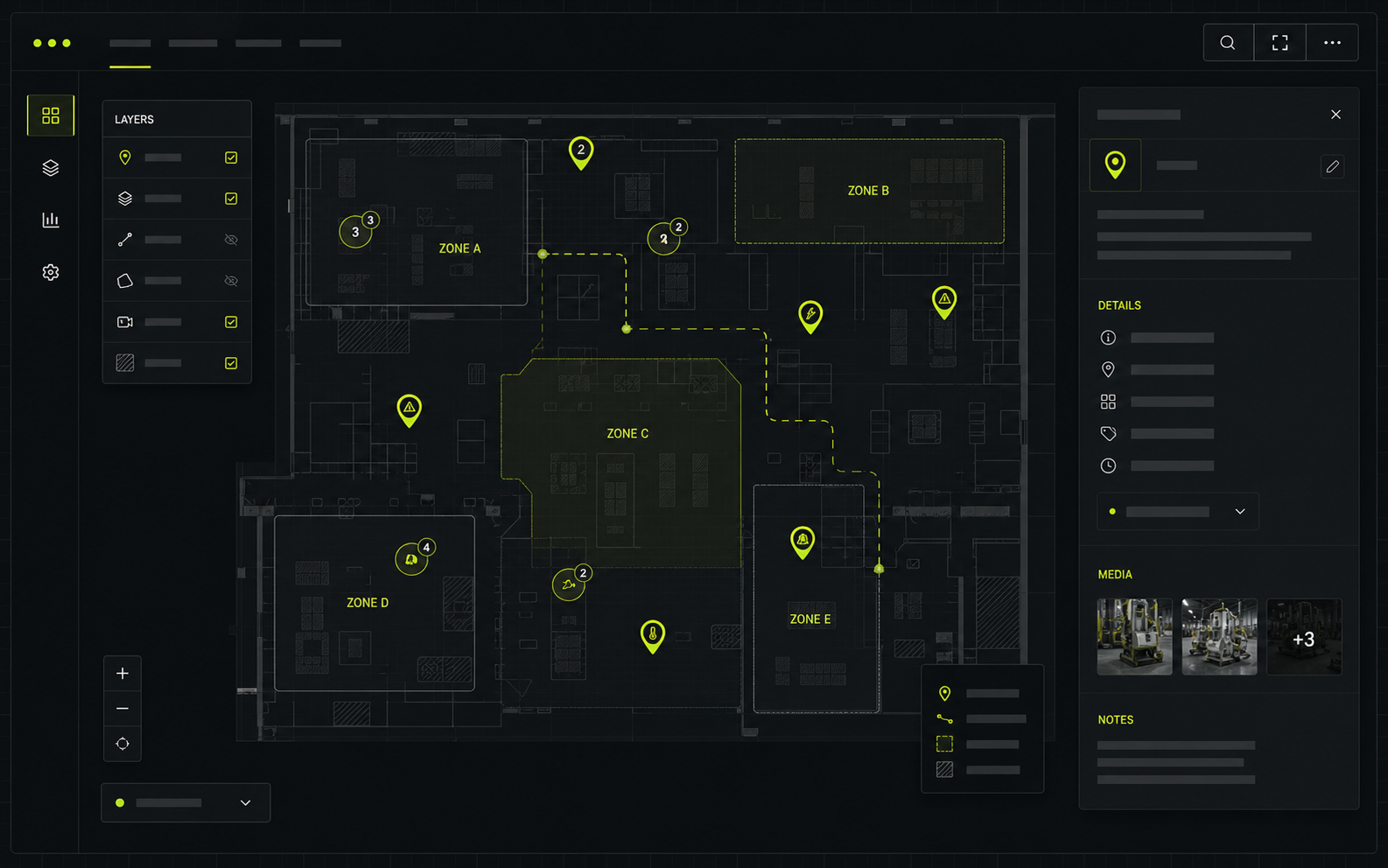
Factory Layout / React Leaflet Widget
An interactive map surface for making complex floor plans, zones and points of interest easier to understand.
Challenge
- Factory layouts are hard to scan when important zones and points live across disconnected documents.
- Users need both overview and detail without losing orientation inside a large physical space.
- The widget needs to stay flexible enough for platform embedding, custom markers and future operational data.
Solution
- Structured the experience around a map canvas with visible points of interest, zones and clear interaction states.
- Kept the UI componentized so markers, layers and detail panels can evolve without rewriting the map foundation.
- Used TypeScript-friendly data shapes to make layout information easier to validate and reuse.
Outcome
- Teams get a faster way to understand locations, dependencies and layout changes.
- The pattern can support planning, maintenance, onboarding or operational views with the same underlying surface.
- The project shows how Pontus can turn a dense internal process into a focused visual tool.
Stack and patterns
Built as a reusable spatial UI layer, not a one-off static map.
ReactReact LeafletTypeScriptLayered markersSpatial dataReusable widget patterns
Teams need to understand places, zones or assets visually.
The information exists, but people keep switching between static drawings, spreadsheets and tribal knowledge.
Prototype one useful map layer.
Start with the smallest layer that proves navigation, markers, detail states and future data shape.
A sample layout and three real user questions.
The best planning surface starts from what someone needs to locate, compare or decide faster.
Previous proofMendix Custom Time PickerEnterprise Mendix app / 2026
A focused component improvement that shows how low-code apps can still feel carefully designed.
Next proofAI Response Evaluation HackathonAI evaluation hackathon / 2026A quality workflow that makes AI output easier to judge, compare and improve.
My process
A clear path from idea to impact.
Clarify
We define the problem, users and constraints before anything gets overbuilt.
Prototype
I design the core workflow quickly so direction becomes visible early.
Build
I build clean, scalable foundations with attention to detail.
Ship
We launch, test with real users and make sure it actually works.
Improve
I iterate, optimize and evolve the product with your team.
Practical. Collaborative. Built to last.
Let's work together
Tell me what you want to build.
Let's build something useful.Project brief
Shape the first message.
Choose the build, name the friction, then send Pontus a brief that already has structure.Hi Pontus, I am interested in: A conversion-focused website. Main friction: The current experience does not create enough confidence. Timeline: Soon. Context: What makes the current site, tool or workflow feel less trustworthy than it should? Useful starting point: Pontus should review the current offer, page structure, audience and strongest proof points. Best,
What Pontus will ask next
- Who needs to trust you faster?
- What should visitors do next?
- What proof already exists?
A conversion-focused websiteSoon